Friday, December 16, 2011

A little inspiration goes a long way

I am definitely hitting the point of the year where I am looking for a little positive inspiration.  Although this might not be directly related to technology integration - I think it is important all the same (and it reinforces the idea that ted.com is awesome).  So here are a couple of pick me ups if you are interested:

"How Great Leaders Inspire Action"


Tuesday, November 29, 2011

Yes...I'm still here.

I know that it has been a slow month here on my blog, but I am here to reassure you that it is still alive and well.  I really want this to be a channel that values quality over quantity, and sometimes that leaves me with a lack of updates - as has been the case lately.  Although my original idea with this blog was to only post about web resources and applications that I find noteworthy, I want to also try to sneak in some positive reinforcement along with those ideas.  I follow some really great thinkers on Twitter and through blogs that motivate me on a daily basis.  To keep momentum going with this blog, I will try to share some of the philosophies and examples that I see having significance to the environment that we work in.  Of course, I'll throw my opinion out there occasionally, but I would really like it to be a window to the power that social media has brought to the profession of teaching.

Look, I get annoyed with hearing about how much better the world is because of social media.  Can I deny that fact that it has changed things? No.  Does that mean I need to join every social network and let everyone know every menial thing that I do during my day? Absolutely not. Until very recently my despise of how Twitter was used in popular culture prevented me from realizing its real value as a professional.  I know many people who feel the same way.  Once we realize that we are not going to use it to share celebrity gossip and try to one up each others' tweets - we can see its true value.  Like any social network, it allows you to become part of the conversation of like-minded professionals.  These professionals share links, ideas, quotes, opinions, questions, and answers, that most of us don't get in our daily interactions.  As much insight that we get from our co-workers, administrators, students, etc., we get to a point where we have heard it all.  That is completely natural.  Our bubble of daily interactions is limited in that capacity.  That is why spending 15 minutes a day on a social network such as Twitter, or reading up on the blogs that you follow, or checking your Diigo group's lists, can truly make a huge difference in your attitude and perspective - not to mention your methods.

I think it all starts with positive motivation.  You know that feeling you have when you see a really great presenter during a professional development session?  This can take place on a daily basis if you allow yourself to give joining a network a chance.  If you are apprehensive about it at all and would like to know more, please don't hesitate to ask for help.  I would love to help you get started.

Wednesday, November 2, 2011

Infographic Inundation

The digital world that we live in has its advantages.  One of them is the amount of infographics that are being created by a growing number of designers and researchers.  What is an infographic?  It is simply a visual representation of information.  They have been around for a long time.  You would most likely find them in magazines as a way to engage the visual learner in us all.  The graphic designers of the world have latched onto this format, and have continued to create some excellent documents that lend themselves to great visual teaching.  There are many sites that feature collections of cutting edge and valuable infographics.  Three of these sites are GOOD: Infographics, Visual Economics, and visual.ly.

The format of using visuals to display information is one that is going to appeal to students right away.  Of course, the engaging format is only as good as the information that is provides.  One thing that I really like about this medium is the seed that it can plant with students as far as displaying information is concerned.  Students, and teachers, always need to keep in mind that there is not only one way to get information across.  Especially in today's world, we have so many creative opportunities to get our message across.  It never hurts to switch it up.  I would love to see the creative concepts that students and teachers can come up with to create their own infographics.  Not a graphic designer?...It's the idea that's important.  Give it a shot.  Make it a contest, have an infographic show, just have fun with it!  Most importantly - think about how ideas connect, how people perceive information, how to get your point across.  Along the way, you might even remember the information your presenting.


Thursday, October 27, 2011

Looking for Some New Websites?

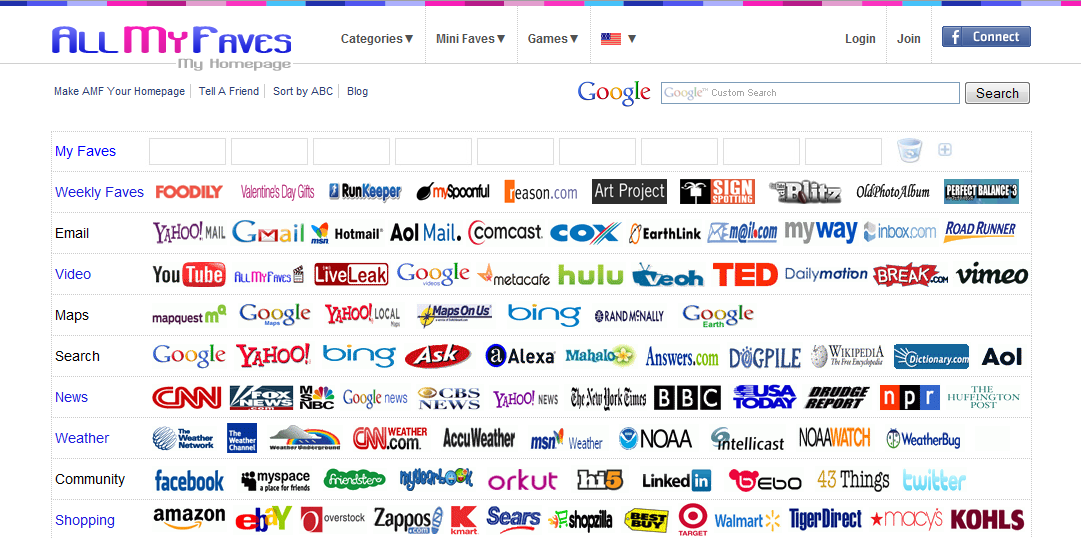
All My Faves is a quick way to search for good websites in a specific category.  If you click on the category menu, you can see the education section, which has many great sites all categorized for you.  In each category, you will see 10 highly regarded websites that might be useful to you.  I guarantee that you will find some great resources here.  It is also a great site to visit when you have some time to waste, because there is always something to do.  The weekly faves are updated every Monday, and are usually worth checking on.


Tuesday, October 25, 2011

Current Event Cartoons for the Classroom

Cartoons for the classroom is a great resource that puts together an editorial cartoon on a current event about every 2 weeks and gears it toward students.  I think this is a great way to open up the discussion about current events in a way that makes students really analyze it.  Even if you are not a Social Studies teacher, these cartoons open up the discussion of how to display an opinion without explicitly stating it, which is something that is very beneficial for students to understand.  It can also hit those visual learners in a way that a written article will not.  It also allows you to download a blank cartoon that the students need to create the text for - which gives them the opportunity to be creative with the content of the picture.  You can click on the image below for an example.


Monday, October 17, 2011

Brainstorm with Wallwisher

 Wallwisher is a site that allows you to quickly create a wall that your students can create and post sticky notes to.  This sounds like a simple thing, and it is, but it is also a great way to help motivate student participation.  You can make as many walls that you want to, and they each have their own url address that you can easily post for your class to navigate to.  Once they are there, all they have to do is double-click anywhere on the board and create a sticky note with text.  The great thing about using a digital board is that it can be re-visited and edited very easily for future use.  Take a couple minutes and create a board for an upcoming topic in your class.  It doesn't get easier than this - they have done a great job keeping it simple.


Friday, October 7, 2011

Free Streaming Documentary Films for Students

 I have mentioned before that Snag Films is a great website that offers an ever-growing library of documentaries of all types.  These are free to stream and are a great resource.  The only catch was that there was a lot of adult content that would not be appropriate to show in the classroom with many of the films.  So, to make it easier on teachers to filter content, Snag Learning was created.  This site takes classroom appropriate content from Snag Films and organizes them into the appropriate content area and grade level.  Check it out.

Thursday, October 6, 2011

Any Math Tutorial Video Possible

Last year I discussed the opportunity that Khan Academy provides for teachers and students.  I think it is important to re-visit, as it is an extremely valuable resource that is perfect for a learning environment like ours.  I urge all math teachers to visit this website and think about how this can benefit your teaching.  Instead of repeating myself, click here to read more from my previous post on this topic.  Khan Academy is not the end-all be-all, but it is taking advantage of the opportunity that today's technology provides.

Friday, September 30, 2011

Looking for Writing Prompts?

Can you ever get enough good writing prompts?  Writing Prompts is a very original site that uses visuals to help encourage creativity for a quick brainstorm.  It seems to me that the pictures give students a place for their thoughts to get started, as sometimes that is the most difficult part.  I know how many times I've seen students lost as to where to start with a short creative writing assignment.  I think that this approach gives their brains the little push that they may need.  Unfortunately, this site is currently blocked by the district web filter because it is a tumblr blog, but these images can always be saved on a flash drive and opened on your school computer.  If you use creative writing in your classroom - I really urge you to check this out.  An example is shown below.


Wednesday, September 28, 2011

Solving Word Problems with Thinking Blocks

Word problems are always more of a challenge than just mere computation.  Thinking Blocks is a website that specializes in presenting word problems in a format that allows students to easily model and compute the information in a step by step format.  You can choose from addition, subtraction, multiplication, division, and ratio problems.  The great thing about this site is that you can do a problem yourself or you can watch a problem solved correctly by the computer.  It also makes for a great interactive whiteboard activity since you can easily make it full screen.  This would be recommended for intermediate grade levels, but could always be used as a quick review activity in a jr. high setting.  Did someone say math extended response practice?


Tuesday, September 20, 2011

Looking for Appropriate Games?

Last week, Richard Byrne published a list of 77 Educational Games and Game Builders.  If you are looking for review games, center activities, or early-finisher activities - this is a great place to start.  This list covers many different subjects and skill levels, so take some time and add some good educational games to your class list.  If you have any other games that you think are great for what we do - let me know.  Share, share, share!

Monday, September 12, 2011

Downloading YouTube Videos Easily

Many teachers would like to use content from YouTube, but just because it is blocked by the web filter does not mean it is a lost cause.  KeepVid is a great site that allows you to quickly download a YouTube video onto your computer.  All you have to do is throw the video onto a flash drive, and you can show it whenever you want.  To get started, copy the url address from the YouTube video that you would like to download and paste it into the text box at the top of the site and click on the download button.
Once you click on "Download", you will have a few choices of what type of video file you would like to save it as.
The best option would be to select the "Download MP4" link.  Once you do this, it will begin downloading to your computer. *Note - you will notice that you can buy a version of KeepVid to install on your computer.  The online version using the steps mentioned here is free and will not cost a thing.*

Wednesday, August 24, 2011

Free Technology for Teachers

As everyone is starting to settle in to the new school year, I would like to share an outstanding resource with you. Free Technology for Teachers is a blog written by Richard Byrne.  He updates this blog at least once a day with a free application that can be applied into your classroom.  I cannot tell you how many great ideas I have gotten from this site.  In addition to his daily updates - he also has easy-to-follow user guides on things such as Google docs, web 2.0, etc.  Check it out.  I promise you, you will find something that pertains to your teaching on this site.  It is always linked at the right hand column of this page as one of my recommended blogs.

Thursday, August 18, 2011

Welcome Back!

Another summer has passed, and here we are again.  I truly enjoyed having this channel last year as a way of sharing all my favorite new forms of instructional technology, and I definitely plan on continuing this blog throughout the year.  Please check back soon and don't be afraid to give any feedback about what you would like to see, or ways to maximize a certain application.  Talk to you soon! 

Monday, May 23, 2011

Angry Birds are Taking Over

If you haven't heard about Angry Birds yet, here is your chance.  Angry Birds is a game that has gotten a huge following through marketing itself as an app on the iPhone and iPad.  Well, now it is available to play free online here.  You will need the most recent version of Firefox or Chrome in order to play it.  If you use Internet Explorer, then you will need to install a Chrome add-on, which it prompts you to do when you visit the site.  Although Angry Birds isn't exactly the most educational game in the world - it does prompt students to analyze their moves based on which bird they are using to attack, and the angle and sequence of how they will launch.  Did I mention that kids love this game?  Adults love it too.  Try playing it for 5 minutes, and 30 minutes later you will be telling yourself, "just one more level."  I think anything this high-interest with students has the opportunity to be used in the classroom.  Using a screenshot of a level is a great way to get a discussion going of the best way to attack it - with there not always being one best answer.  It gives students the opportunity to dissect a situation and discuss as a group their best chance at getting the best score possible.  Allowing them to work in teams and competing against each other would be a fun way to let them build their small group communication as well.  I think this would lend itself well to a beginning or end of the year team building activity.

Monday, May 9, 2011

Say Something with Blabberize


Blabberize is a quick fun site that allows you to easily take any picture and make it talk.  That's about it.  It is a fun, easy website to use and it allows you to bring a picture to life for your students.  Once you sign up for a free account, you 1) upload a picture 2) draw a mouth on the picture and 3) record your voice.  You can then use a link to view your creation or download it as a video file.  Check it out.  It's a fun way to add a little pop to a lesson.

Wednesday, April 27, 2011

It's been awhile

Okay, I have been a little preoccupied. I thought that it would be no problem to maintain this blog as I was away from work with my family, but I was severely wrong.  A 13 month old and a newborn keep you very busy.  That said, I am excited to get back to this on a consistent basis.  So keep checking back, as I intend to update this blog regularly.  Thanks for reading.

Friday, March 18, 2011

Simulating Life in a 3rd World Country


Ayati: The Cost of Life is a game that has been created to help create awareness of the reality of life for many people in the country of Haiti.  Giving students an awareness of what life is like in a third world country is not an easy thing to do, but this game is a great opportunity to give them a glimpse of it.  This simulation game gives you the opportunity to live 4 years as a family of five in Haiti, and make decisions based on your priorities.  You have to choose between happiness, money, education, and health in order to survive as a family.  This game is not easy to be successful at.  In fact, it is extremely difficult to focus on much other than survival.  If you are familiar with Oregon Trail (...ahhh the good old days) - this game is very similar in the way that it is formatted.  Throughout the game your family will deal with many factors (both good and bad) as they continue to live a fulfilling life.  Students will definitely find this game challenging, but it will be self-motivating for them to want to continue to try to improve at it.  When playing the game, students could even focus on one family member and keep a "journal" from that person's point-of-view.  However you incorporate this game, it does a good job at bringing up an important discussion, and giving students some perspective of living conditions in other parts of the world.

Tuesday, March 15, 2011

Kicking it Old School

 If anyone grew up with an Apple iie computer as their introduction to technology, then you probably remember the LOGO program that allowed you to control a turtle with commands.  This allowed you to create a 2-D image according to the commands that you gave it.  Essentially, it was an etch-a-sketch that was controlled by computer language.  In order to properly draw your image, you needed to understand angles and the length of pixels.  The original program allowed the user to also define functions that could be stored for future use. Have I lost you yet?  If you are not familiar with the application, believe me - it is anything but complicated.

Mathsnet has created an applet that re-creates the LOGO program in a simple fashion.  The commands are listed at the top of the screen, and it is very easy to use.  You just type the command at the bottom of the applet to control the arrow.  What value does this have?  Well, I think that it is a fun way for students to practice their understanding of angles and mental math.  After introducing, and allowing students to play with the program in order to get acclimated, it would be a fun activity for them to plan a picture, and write the script that they would need in order to create the picture.  Then have them put the script into the application and see if the picture comes out as planned, or discuss any issues that unexpectedly appeared.  This could also be a great on-going activity for students to work on if they get finished early with class work, or have earned reward time.  Although the concept is simple, it gives students the chance to become "programmers", which is probably not something they are used to.  It fuses math and creativity in a fun way.

Below are some screenshots of what the application looks like.  Keep in mind, this is a very simplistic version of the program.  If you want to explore the capabilities of LOGO in a more in-depth way, you can download a windows version of the program here for free.


Thursday, March 10, 2011

The Impact of Internet Videos in the Classroom


Khan Academy is a website that was developed by Salman Khan in order to give tutorials in math.  If you have not visited the site before, I strongly suggest that you do.  It is a HUGE resource for students and teachers.   Since it has started, it has continued to grow with the development of tutorial videos in every area of basic and advanced math, along with other content areas.  Another great thing that has changed, is that it no longer uses YouTube to stream the videos.  The videos are now streamed from the website, so school computers are no longer blocked from accessing them.

These videos are great because they truly allow students to access a lesson on a topic at their own pace.  Below is a talk that Salmon Khan recently gave focusing on the change that his videos and other videos like them are making in the classroom.  When students have the homework of watching the video on the next day's concept - they are able to watch it on their own time, replay anything they don't understand, or go back to a previous concept that they haven't mastered in order to be successful.  This gives them the opportunity to come to the classroom the next day to practice and reinforce the concept the way that "homework" would normally do.  His reasoning makes complete sense, and it is exciting to think about the effect that it can have on your students.  This is how our kids are learning about things - and it makes sense why.

Tuesday, March 8, 2011

Google Cloud Connect


Good news for Google users who want to start saving their Microsoft documents to the cloud for easy access.  Google has introduced Cloud Connect for Microsoft, which is very easy to use.  You will need to go here for the free download.  It will install a toolbar at the top of your Microsoft Office program that allows you to sync the document that you are working on into your Google Docs account.  You can set it up so that you click on the sync button to save it to your Docs, or anytime you save the document as you would normally do - it will automatically save it to your Docs.  The best thing about it, is that it allows you to work in Word or other Office program as you would normally, with the added feature to also save it to your Google Docs account.
For those of you who are not familiar with Google Docs, as long as you have a Google account - then you have a Google Docs account already.  Just click on the "Documents" link from the "more" tab at the top of the google screen.  It will show you any document that has been added to your library.

Tuesday, March 1, 2011

A search for answers - not websites


Along the same lines as Qwiki, is the search engine WolframAlpha. The idea is to give you information about what you are searching for - instead of links. What is really great about this search engine, is that you can type in math equations and it will solve them for you along with accompanying visual aides if available. You can also compare two items by entering them both into the search.  Another nice feature is that it allows you to save the information from any search as a pdf file for future use (or to post on your website as a resource). There are many examples that you can take a look by just clicking on the examples link above the search box. Checking these out will give you a better idea of how to use this tool. This is like a free, updated encyclopedia at the tips of your fingers.  Below is a screen shot of the results when i typed in 2x+10=20

Wednesday, February 23, 2011

Moving in the right direction

I was able to spend most of the institute and school improvement day with teachers and it was an excellent opportunity to spend some quality time elaborating on some of the things that I have been excited about implementing in the classroom. It is important to have some time to get excited and be able to play with new technology. Without the excitement of how fun and engaging technology can be, then we won't have the desire to want to bring it into our classrooms. It is much easier to find solutions to problems when we want to find the answer. I know that sounds simple, but it is true. It is easy to see technology as a pain when you don't want to use it in the first place. We are at a unique point in time with education. The way students are learning is changing. We need to adapt. So let's start adapting.

I know that the last two weeks have been pretty slow with updates here, but that is going to change. I'm attending the ICE (Illinois Computing Educators) Conference tomorrow and I will have plenty of great resources to share with you, so check back for updates.

Wednesday, February 9, 2011

Let's build some vocabulary

Knoword is a very addicting, fun game that is easy to play.  The concept is simple: you start with 60 seconds and are given the first letter of a word and its definition.  Once you type in the correct word, you will be given the next one and 5 seconds will be added from your time while you are awarded 20 points.  If you don't know the word, then you can skip to the next one, but you are penalized 10 points.  If you have a minute, try to play a quick game, and I bet you play more than one to see how high of a score you can get (so far, my highest score is 655 normal difficulty...top that).  At the top right-hand corner, you can select if you want to play on normal or hard.  Also, the default setting is Canadian English, which you will notice has a slightly differently spelling on a few words.  You can change it to American English by just clicking on the top right hand dropdown menu and switching it.  You could easily get a leaderboard going for your classroom.  When students have downtime - challenge them to see if they can get a high score.

A little more sports to go with your science


Last week I recommended the Science of the NFL videos that were created by NBC Learn.  These are a great way to illustrate a concept that you are learning about in science or math, and it is very engaging for your students.  With the same thought, ESPN has created Sport Science videos that correlate math and science with different sports.  They are very well done, and give great visuals to prove the validity of the concept.  This could even be something that science and math teachers team up with physical education teachers to experiment with and try first-hand.  Below is a sample video that shows the different angles a third baseman needs to take in order to stop the ball. (note: you will need to watch a short commercial before the video starts)

Monday, February 7, 2011

Math starter problems

Maths Starter of the Day is a website that provides a daily warm-up math problem that can easily be displayed on the SmartBoard.  The problems vary with their format, but are very good at challenging students to think critically and logically.  It is a great way to get discussion among students in your class, and truly promotes the problem solving approach that many of our math students have difficulty with.  It also gives students a chance to be creative and understand that there are different ways to come to the same solution.  Working as a team, and testing out different classmates' ideas to come to a solution, is a great way to promote collaboration and fun in the classroom.  Check it out.  Here is an example of one problem:
 place the numbers in the appropriate boxes so that the vertical and horizontal lines add up to the same number

Monday, January 31, 2011

Keeping your students current


I might be telling you something you already know (I'm aware of this), but CNN Student News is a free 10-minute newscast that is available every weekday to stream.  There has got to be some time for (at least a portion of) this to fit into your schedule somewhere.  Being able to discuss and correlate current events into your curriculum is exactly what our students need the most.

A tool that could be used along with this is The Week In Rap.  Every Friday there is a new video available that puts all of the current event stories from the week into a rap video.  Students get a big kick out of this, and are engaged with the visuals that go along with the rap. (The main page will be blocked because it is shown through vimeo - which is blocked - but if you scroll down just below the blocked video, you will be able to click on the link to view it as a WMV file.  This will allow you to watch it in school.)

I think it would be a great activity to see students create their own "week in rap" raps based off of the information that has been learned about through the daily news.  I'm sure some students would really take off with this.  The possibility of creating a weekly "news in rap" podcast would definitely work for those who would be willing to try.  (let me know if you are interested...I would love to help)

Thursday, January 27, 2011

Football and Science...finally

NBC Learn has put together 10 short free videos that correlate science and math concepts with football at The Science of NFL Football.  They are very informative and engaging clips that show true life examples of physical science and geometry.  I think these are great, and would be an excellent compliment to your curriculum.  There are also a few more categories at NBC Learn that stream videos for free here.  NBC Learn does have an archive of news videos, but those are only available with a paid subscription.  Enjoy!

Qwiki is available to everyone!

Today I've just got a short update on a great tool that I have mentioned before - qwiki.com .  If you are not familiar with qwiki, it is a search engine that gives results like an encyclopedia passage that is read aloud along with pictures. It is now fully available to all.  You previously had to sign up, but that is not necessary anymore.  Try it out, and have some fun with it!

Tuesday, January 25, 2011

Take it easy

There are many ways to integrate technology into your classroom.  I try my best to inform you about anything that I think is valuable to learning with technology.  Does that mean you should be doing everything I mention?  Absolutely not.  It is my job to keep you informed and excited about new things, but please keep it in perspective.  I know too many teachers that feel so overwhelmed about using technology that they give up before they really even try.  First of all, start with one thing at a time.  Think about something that you are excited about using, and that you think would enrich your teaching.  Find a way to introduce it to your students with a small activity, allowing everybody (including you) to get used to it without it feeling threatening.  As time goes on, and you feel more comfortable with it, allow it to become a bigger part of your day.  Remember, kids are natural explorers, and they will soon be naturals as they continue to use whatever technology you are implementing.  It is also important to understand that if something feels like a failure - then that is not a reflection on you.  Trying new things is always an experiment, but it is important to ask yourself and your students about what went wrong, and analyze what could be changed for next time.

A big part of the hesitancy that I see is also feeling as if you cannot answer every question the students have about the program or technology that you are using.  This is completely normal.  I know, as a teacher, I hate it when I cannot answer a question about something that I'm expecting my students to use.  I think in these moments, we need to take a breath, and just be honest with our students.  Does this question my authority or role as a teacher? No.  It confirms my role as a human being that does not know absolutely everything, but is willing to do what it takes to figure it out.  I think it is refreshing for a student to hear his teacher say "You know, I'm not quite sure how to do that, but let's see if we can figure it out." It is also amazing what a little thing known as Google has done for answering questions of all types.

Technology is something that should make life easier.  Before you think about all that could go wrong, remind yourself of all that could go right.  I'm happy to help if I can.  Just let me know what you are thinking, and we can get your class set up for your needs.

Thursday, January 20, 2011

Getting your students to blog

Trying to get our students to practice their writing is definitely a challenge.  Blogging is one way to get them in the practice of writing informally to find their voice, while also being a great classroom teaching tool.  Using a free service like Kidblog (I really recommend this site, because it is built for classrooms and does not require email addresses for student accounts) makes it simple to set up a classroom so that every student has their own blog.  Within a classroom, a teacher and student can access any blog that belongs to the class.  Students also have the option to comment on other students' blog posts.  The teacher will have to approve any comments before they are displayed, though, which is a very nice feature.

The real opportunity with using blogs is letting your students get used to writing for an audience, learning from peer feedback, and taking pride in their writing.  Using classroom blog posts of examples of the good and the bad are great teaching moments that students can easily connect to.  It also takes away from all the stacks of paper that you are used to grading every week.  You can give students instant feedback once they publish a post that you can choose for everyone to see or keep private for only that student.  More and more classrooms are using this as a tool to get kids excited and analytical about their writing.  Don't be afraid to try it out.

*UPDATE 1-24-11 check this week's tech tip for more info*

Wednesday, January 19, 2011

Rich background information

So many of our students lack the background knowledge that is needed to properly understand the material that is being taught.  How do we accommodate this problem?  One way is to show them content-rich, high-interest video (obviously, this is not the only way).  We know that we already have DE Streaming at our disposal, but what are some other options? SnagFilms is a great website that has thousands of documentaries available to stream for free.  Please note: these films are definitely geared toward older students, and some may have adult content that you will need to screen for.  Recently, this site has vowed to bring its library up from 2,000 videos to 10,000 videos due to a grant that was received - so make sure to be checking in to see what is new.


Other great resources are SchoolTube and TeacherTube.  Obviously, we cannot access YouTube, but these are great alternatives that are constantly growing with great new content.  Check them out, and don't be afraid to see what other teachers are doing with their classrooms.  Beyond getting videos to show students, these sites are great places to see what other teachers are sharing.

One last idea, for those who are looking for a little inspiration or philosophy.  TED is a website that features free talks from experts on a variety of progressive topics.  They are all about 10 minutes or so, and they really force you to think about your priorities and opinions.  I have already featured a talk by Dan Meyer on my blog before.  Below is a talk given by Sir Ken Robinson in 2006 about creativity in education that brings up a good debate.  If you like this video, take a look around at TED and check out some more.  Along with great talking points, these videos also show some of the world's best speakers in their element.  It can be a tool for students to see how a great speech is given, while debating about someone's viewpoint on a topic. 

Friday, January 14, 2011

Excellent Math Games

MangaHigh.com is an excellent website that specializes in high-interest math games for intermediate math concepts.  You can try out a limited version of the games for free, but there is also a subscription based service that allows you to create usernames for your students and set up challenges for them.  It looks great, and the games are not just simple computation disguised as a video game.  They also work on concepts such as number comparison, graphing algebraic equations, estimation, and geometry.  It is geared towards middle school math, but is also has "lite" versions of games to cater to the elementary setting.  I would encourage you to check it out and see if it is something that would be of interest to you.  Especially with so much ISAT review this time of year, it is a great way to reinforce math skills in a fun and engaging way.  They offer a free 4-week trial period that could be extremely beneficial to try out and test with your students.  I am excited to try this out for myself and see how it goes over with students and teachers.  I think especially for junior high teachers who have trouble finding quality math games to reinforce their content - this is a great tool.

Monday, January 10, 2011

Prezi: a great alternative to powerpoint

Powerpoint definitely has its place in the classroom.  It is a great presentation tool and is widely used.  But sometimes you need to just change it up a little.  Prezi is a great way to add a little wow factor to your presentations.  The difference between Prezi and Powerpoint is not easy to explain - but I'll try.  Prezi does not use the standard linear slide approach.   Instead, it gives you a blank slate that allows you to input text, pictures, video, etc., and you can zoom in on each element in whatever order you choose to present.  Instead of trying to explain it too much, play with the example below to see an example of a Prezi that I created.  You can sign up to use Prezi for free with an email address at Prezi.com - you have up to 100mb of storage with a free account.  It also has very easy beginner training steps to help you understand how to use it.  When you sign in, you will see the library of presentations that you have created.  The nice thing is that you can also download a Prezi presentation so that you do no need to be connected to prezi.com in order to show your presentation.